
Hardware Guide#
This section describes each hardware component of the Miniscope System. Read about the Hardware Requirements below and follow the table of contents on the side to read about each of the components that make up the system and how they function.
Hardware Requirements#
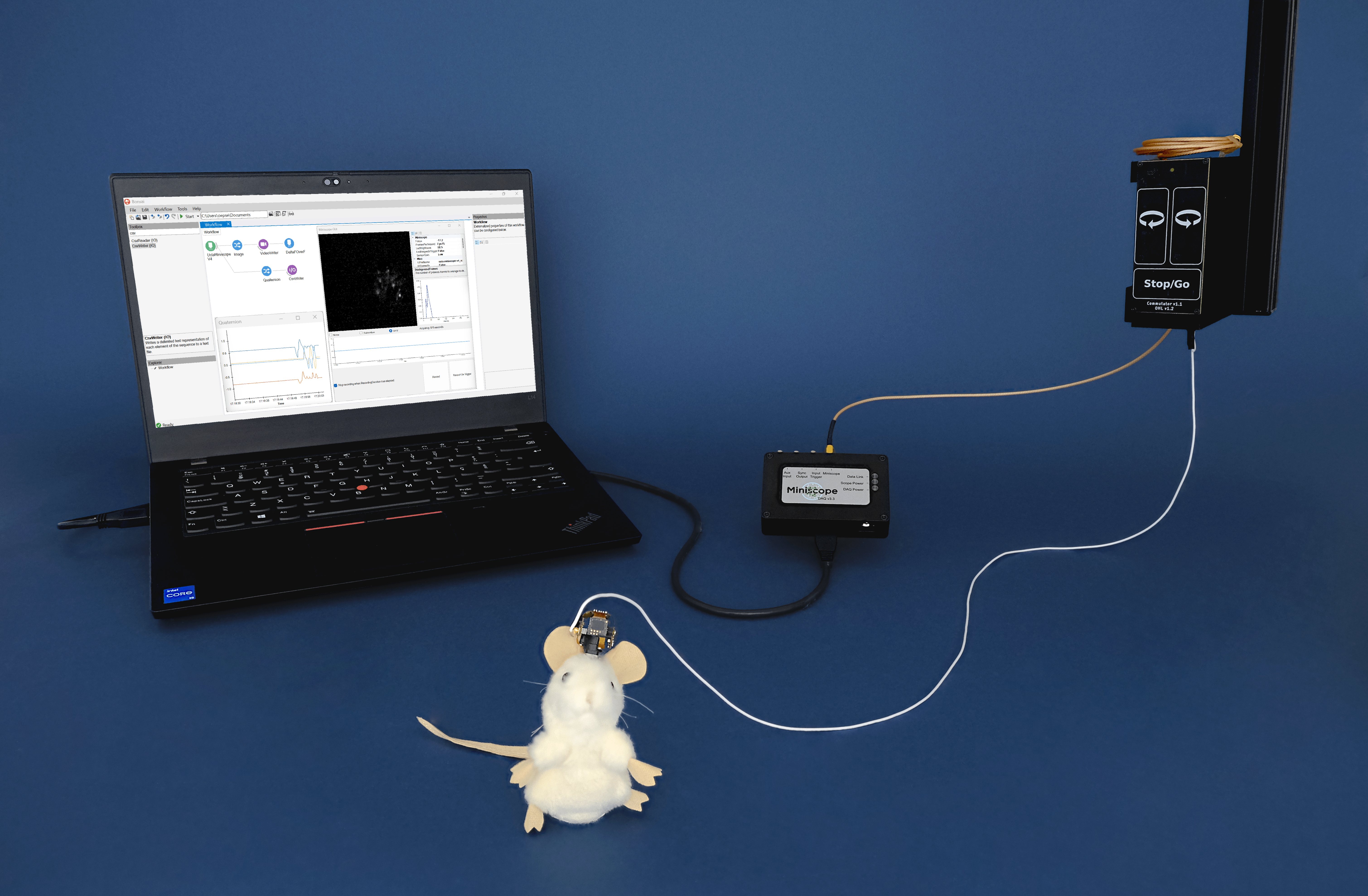
An example Miniscope acquisition system using the Miniscope DAQ v3, a Miniscope v4 and an Open Ephys Commutator. The system is being run in Bonsai.#
Miniscope System Components#
A complete UCLA Miniscope data acquisition system consists of the following hardware, most of which you can order from the Open Ephys store :
A Miniscope V4, which you can order from the Open Ephys store either as a pre-assembled device or as an assembly kit to build yourself following the Assembling the UCLA Miniscope V4.
One coaxial tether to connect the Miniscope to the Miniscope DAQ, which you can order from the Open Ephys store assembled (custom lengths available) or as an assembly kit to build yourself.
A Miniscope DAQ for acquisition. One Miniscope DAQ per Miniscope is required for operation. Connection accessories are available for the Miniscope DAQ to use the DAQ I/O ports.
USB 3.0 cable (USB Micro-B SuperSpeed to USB A SuperSpeed) for the Miniscope DAQ communication to the PC.
(Optional) External power supply for the Miniscope DAQ is required for specific applications, see the External Power section.
(Optional) A coaxial commutator to prevent tether twisting during freely-moving behavior experiments, such as our torque-free Coaxial Commutator, which you can order from the Open Ephys store. If you use a commutator, you need an additional SMA-SMA cable.
A computer to run the software and interface with the rest of the system. We list a recommended configuration below.
Additional external hardware that you might consider to complete an experimental setup are behavioral cameras, behavioral arena control units, and stimulation devices.
If you already have these components, follow the Quick Start Guide to learn how to start collecting data right away. The Hardware Guide goes into each system component in detail. To interface with an animal, you will need additional components listed below.
Note
The Miniscope V4 is also compatible with the ONIX Acquisition System. ONIX has two ports that can be used for data acquisition simultaneously. Read about ONIX hardware in the ONIX documentation . To use the Miniscope with ONIX you will still need the additional interface components and accessories listed below.
Animal Interface and Protocol Accessories#
A baseplate is required to secure the miniscope to the animal’s skull.
A Torx T2 screwdriver is required for securely attaching the miniscope in the baseplate and fits the screws on the miniscope.
A stereotaxic miniscope holder that allows attachment and detachment of the baseplate can be helpful to visually guide baseplate implantation.
When imaging in depth, relay GRIN lenses must be implanted in the brain. A GRIN lens holder is required to position the lens during GRIN lens implantation.
Dummy scopes of the same size and mass distribution as the miniscope can be used for habituation after baseplate implantation.
Acquisition Computer#
Any modern computer should be able to run the miniscope system. Performance will depend on your specific settings, especially the amount of data processing you are doing online (e.g. for behavior). Here are some considerations:
Operating system - the Miniscope DAQ is only supported on Windows.
Processor - there is no strict minimum requirement for basic acquisition: any contemporary mid-range processor is sufficient for streaming and saving data. For real-time processing or to minimize potential frame loss, a higher-performance multi-core processor is recommended.
Memory - there is no strict minimum requirement for basic acquisition. ≥16 GB RAM is recommended and provides comfortable headroom for typical Miniscope workflows and real-time processing tasks.
Data storage - a solid state drive is strongly recommended, with enough storage space to save data. For reference, the typical size of a video file of 1000 frames using the GREY codec is ~350 Mb.
Graphics card - a good graphics card is not critical for data acquisition. However, consider upgrading your graphics card to speed up offline analysis steps.
Connections - At least one free USB 3.0 port to connect the Miniscope DAQ directly to the computer.